BinEye 4.2: Floats
BinEye 4.1 filled the calculator with integer arithmetic. BinEye 4.2 adds floats: a Float menu with seventeen operations, eight formats from 8-bit E4M3 to binary256, four rounding modes and the IEEE flags. The number sheet reads two more float formats, bfloat16 and E5M2, and every float shows its exact value or the shortest text that reads back to it.
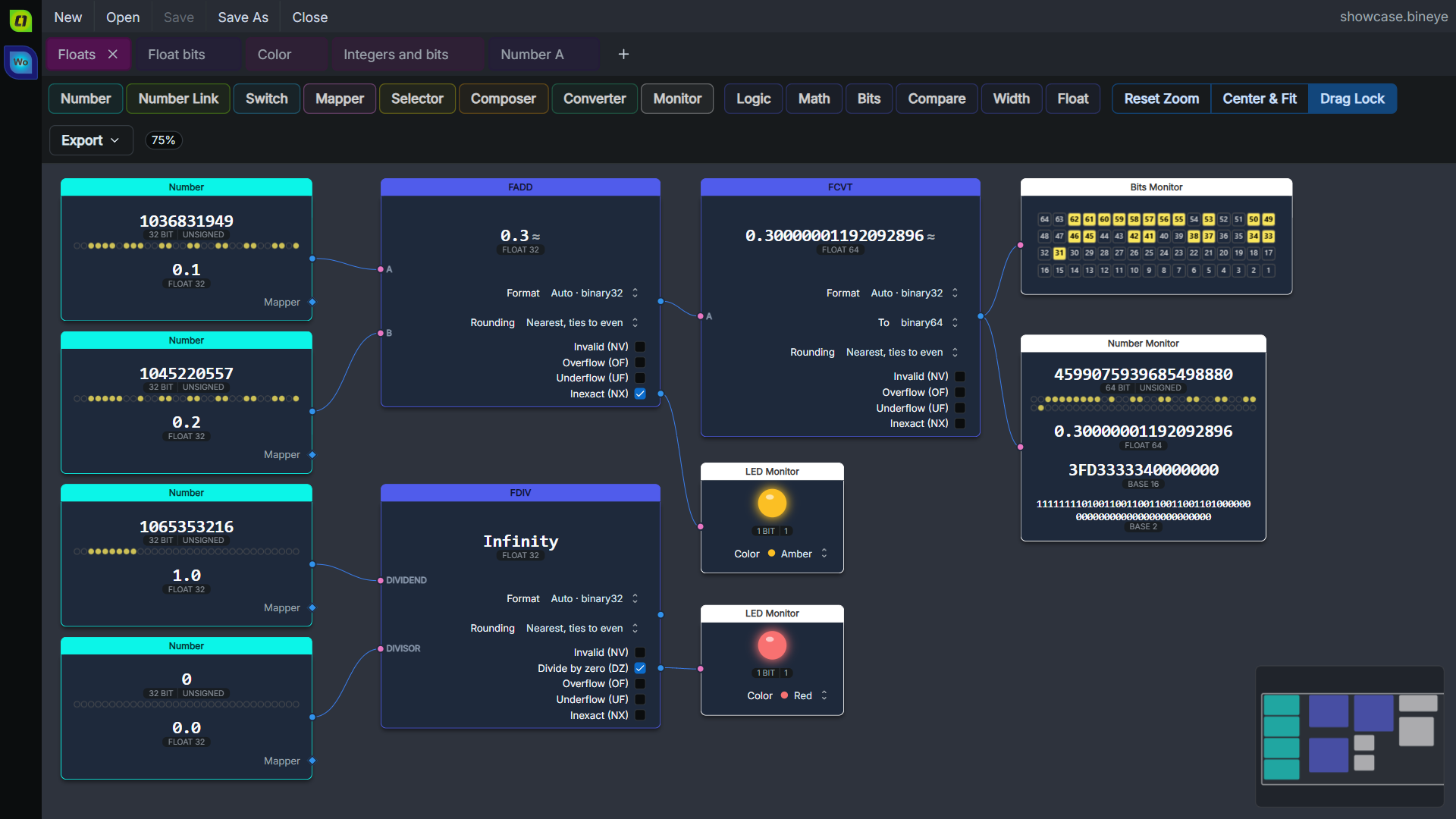
What’s New in 4.2
🔹 The Float Menu
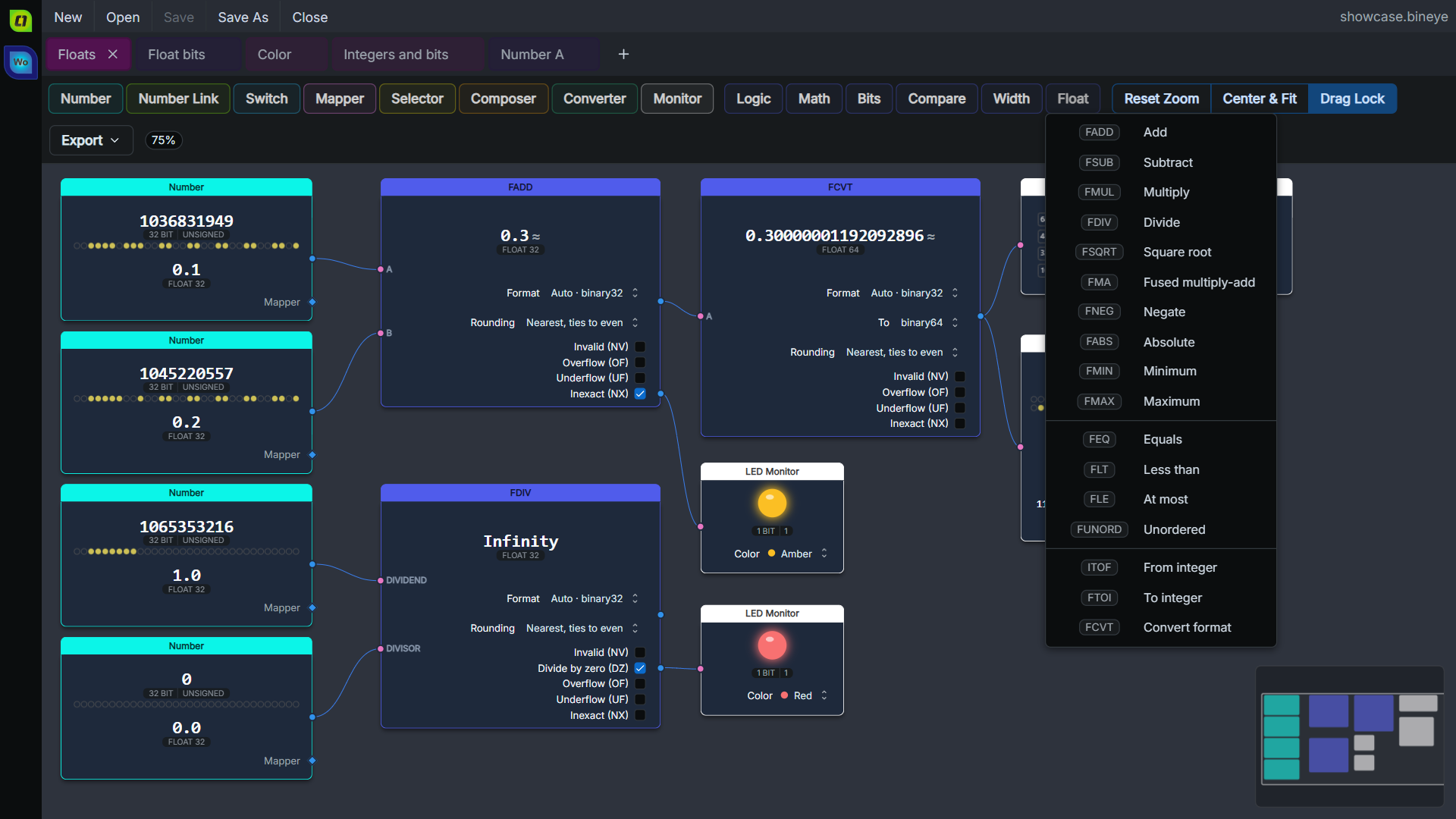
The calculator gets a sixth operations menu, Float, with seventeen operations:
- Arithmetic:
FADD,FSUB,FMUL,FDIV,FSQRTandFMA(fused multiply-add) - Sign and order:
FNEG,FABS,FMINandFMAX - Compares:
FEQ,FLT,FLEandFUNORD(unordered), each giving 1 or 0 - Conversions:
ITOF(integer to float),FTOI(float to integer) andFCVT(one float format to another)
FTOI truncates toward zero and clamps to its width, with a signed or an unsigned result. That’s what Rust’s as, Java’s (int) and ARM’s FCVTZS give, so a NaN reads 0 and +∞ reads the largest integer.
🔹 Exact, Then Rounded Once
Every float operation computes the exact result first, then rounds it once, to the node’s format, in the node’s rounding mode. That’s what IEEE 754 asks of a correctly rounded operation, and it is the whole point of FMA: A × B + C through FMUL and then FADD rounds twice and can differ in the last bit, while FMA rounds once.
A node computes in one of eight formats:
| Format | Bits |
|---|---|
E4M3, E5M2 |
8 |
binary16, bfloat16 |
16 |
binary32 |
32 |
binary64 |
64 |
binary128 |
128 |
binary256 |
256 |
On Auto a node follows its first input’s format (ITOF its integer’s width), and an input of another width or format turns its dot red. A Rounding row picks nearest (ties to even), toward zero, up or down.
FCVT shows what a format keeps. 0.1 typed as binary32 and widened to binary64 reads 0.10000000149011612 ≈, and its hover gives the exact value, 0.100000001490116119384765625.
The float core is tested against the browser’s own binary32 and binary64 arithmetic and WebAssembly’s conversions, and against a separate reference for every format and rounding mode.
🔹 The IEEE Flags
The operations raise the five IEEE exception flags, each where it can happen: invalid (NV), divide by zero (DZ), overflow (OF), underflow (UF) and inexact (NX). Tick one and it becomes an output, so 1 / 0 can light an LED, and so can 0.1 + 0.2 for being inexact.
🔹 bfloat16 and E5M2 in the Number Sheet
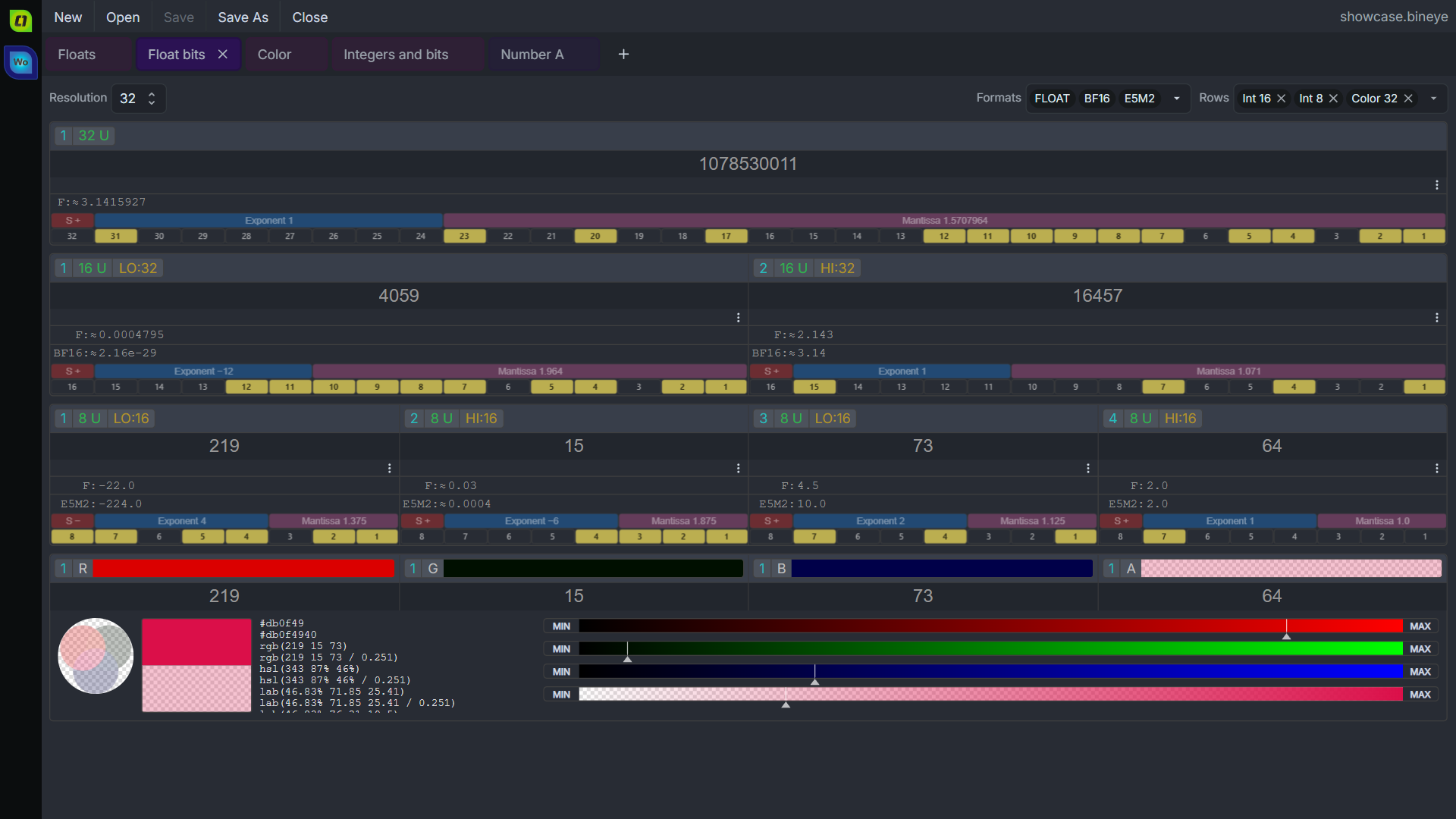
Next to FLOAT, the number sheet’s Formats now offer BF16, which reads 16-bit words as bfloat16, and E5M2, for 8-bit words. The bit grid labels each float’s sign, exponent and mantissa, with their bits on hover, and two toolbar items step a float to the next one down or up.
🔹 Floats That Read Right
A float shows its exact value when that’s short or a whole number. Otherwise it shows the shortest text that reads back to the same bits, with a muted ≈, and the hover gives the exact value. Subnormals and quiet or signaling NaNs are named at the end of the line.
Typing a float rounds it to the nearest one, so 0.1 is accepted, and a message tells you the value stored. inf, nan and -0 can be typed, and 128 and 256-bit words are editable.
🔹 Smaller Things
- -0 shows as
-0.0, and E4M3 shows 256 to 448 as numbers, not Infinity or NaN - Floats no longer show 20 fraction digits, in the number sheet and the Number monitor
- The number sheet’s Formats box can be reached with Tab and opened with Enter or Space
- Linux and macOS: the Formats chips are centred and never cut short; when they don’t fit, a
+Nchip counts the rest - The number sheet’s toolbar controls are calmer
Get BinEye 4.2
Windows
- Microsoft Store (picks x64 or ARM for you)
- Windows Installer (x64)
- Windows Portable (x64)
- Windows Installer (ARM64)
- Windows Portable (ARM64)
macOS
Linux
- Snap Store:
sudo snap install bineye - AppImage (x64)
Web and VS Code
- BinEye Online: in the browser, or installed as an app
- VS Code Extension, also on Open VSX
The install notes for each platform live inside BinEye, linked from its welcome screen: Windows (which download fits which PC), macOS, Linux (the snap and the AppImage), Web app, VS Code. Every download can be checked against the release’s SHA256SUMS.
Support and Community
- Discussion, bug reports and ideas: BinEye on Reddit
BinEye is closed source: it is developed in a private repository and doesn’t take outside pull requests. That’s a maintenance choice, not a secret. Feedback is always welcome.
Comments
No comments yet.
Manage a comment you wrote