My computer is still the most important part of my job. Since my last rig post the work has only got heavier: bigger codebases to compile, Docker containers and WSL running all day, VirtualBox, VMware and Hyper-V virtual machines side by side, IDEs with language servers eating gigabytes each, and of course the usual dozens of browser tabs that never get closed. These days there is also AI: training models and running local LLMs, which need a serious GPU with plenty of VRAM. I still need many CPU cores and plenty of RAM, and now a lot of GPU power on top.
My 2016 dual Xeon rig, built around the Asus Z10PE-D8 WS and upgraded in 2020 with 2 X Xeon E5-2667 V3, served me well for more than eight years. But neither the board nor the Xeon E5 V3 CPUs support TPM 2.0, so Windows 11 would not install without bypassing its requirements. I could have hacked around that, but after so many years it was simply time to move on to a new, modern system.
Hunting for a New Platform
Every rig I had until now, I built myself, part by part, hunting bargains on eBay. So naturally, I started looking for a new Asus dual Xeon workstation board for the Xeon Scalable platform. I could not find one: the new Asus workstation boards were moving away from dual CPU configurations.
Then I came across a used HP Z6 G5 on eBay, with a very modern (for the time) Xeon CPU inside, and it seemed too good to pass up!
The Z6 G5 is built around Intel’s W790 platform and the Xeon W-3400 family: a single socket with up to 56 cores, 8 DIMM slots for DDR5 ECC registered memory up to 1TB, and plenty of PCIe lanes straight from the CPU. One socket of this generation does what my two sockets used to do, and a lot more. On top of that, HP adds a validated platform with BIOS and driver support, a power supply and cooling designed for the full configuration, and a chassis where the side panel, drives, expansion cards and memory are all tool-less.
The Journey
The listing offered the workstation with an Intel Xeon w7-3465X (28 cores / 56 threads), 16GB of RAM, an NVIDIA T400 4GB and a 512GB NVMe M.2 drive for €3,000. That was a very good price back then: Intel’s list price for the CPU alone is over $3,000. So I bought it! It also came with the 1125W 90% efficient power supply and, like every Z6 G5, a Windows 11 Pro for Workstations licence embedded in the firmware. Used or not, it still had a valid HP warranty with full support, and I have since extended it with an HP Care Pack until May 2027.
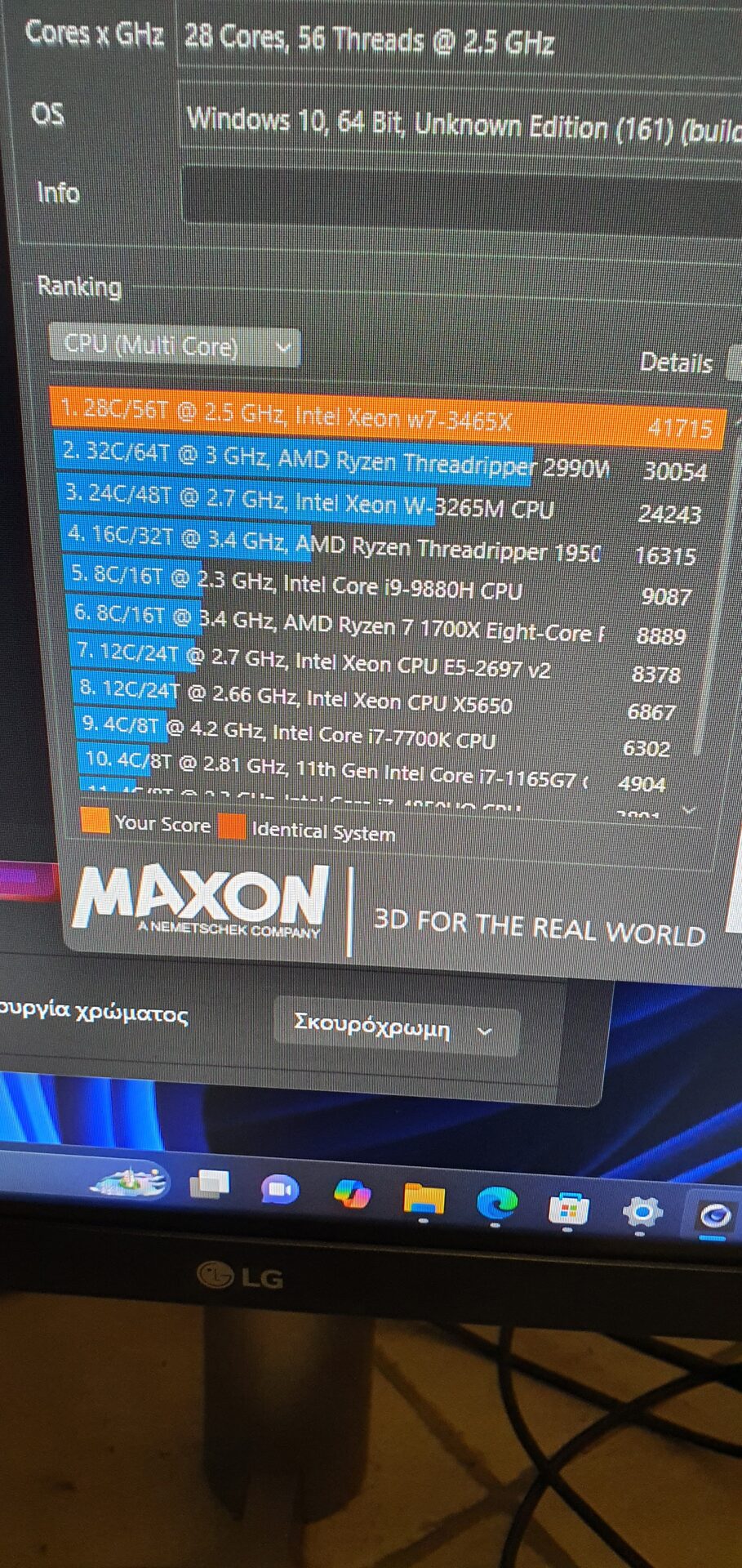
It arrived at the end of December 2024, and the first thing I did, of course, was to run Cinebench on it.
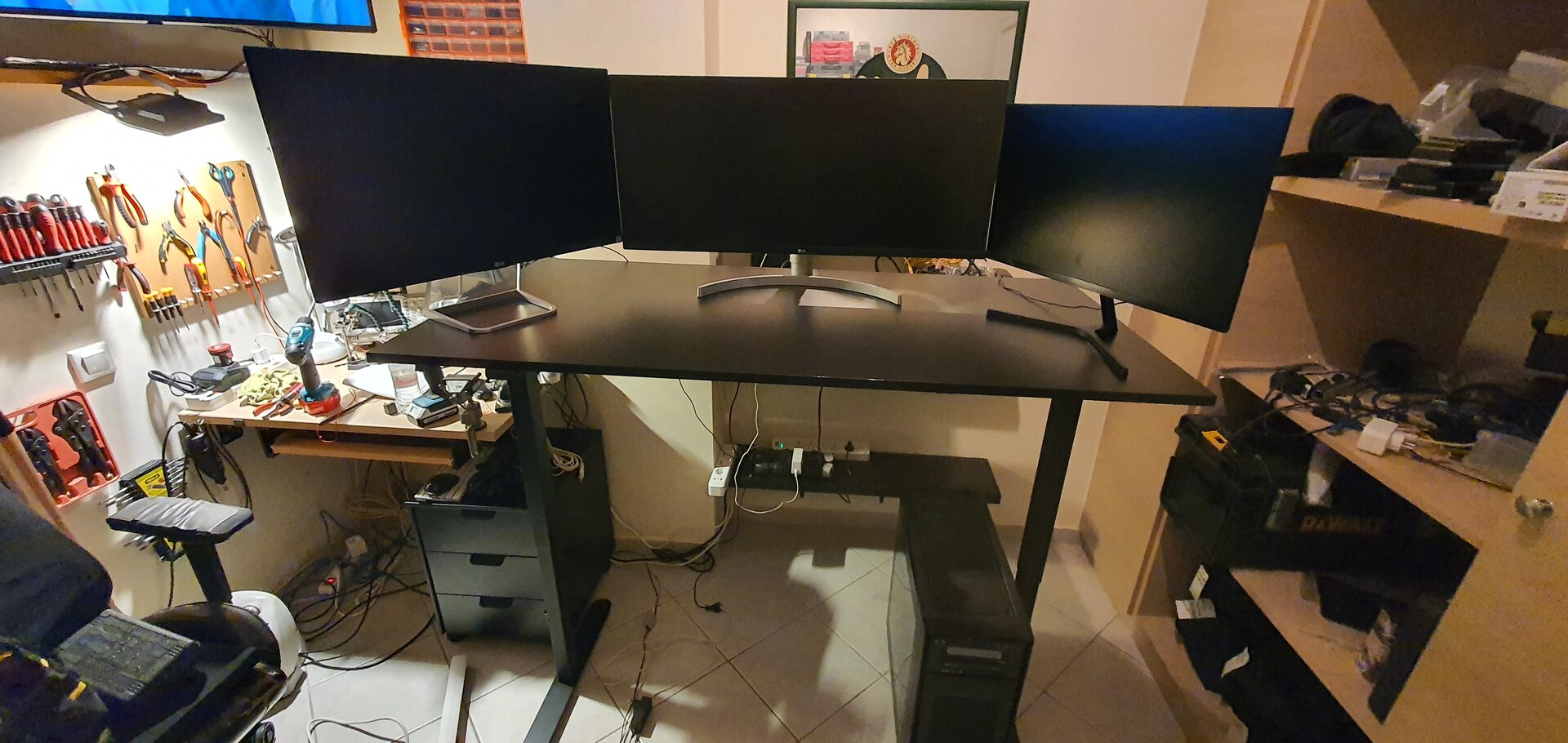
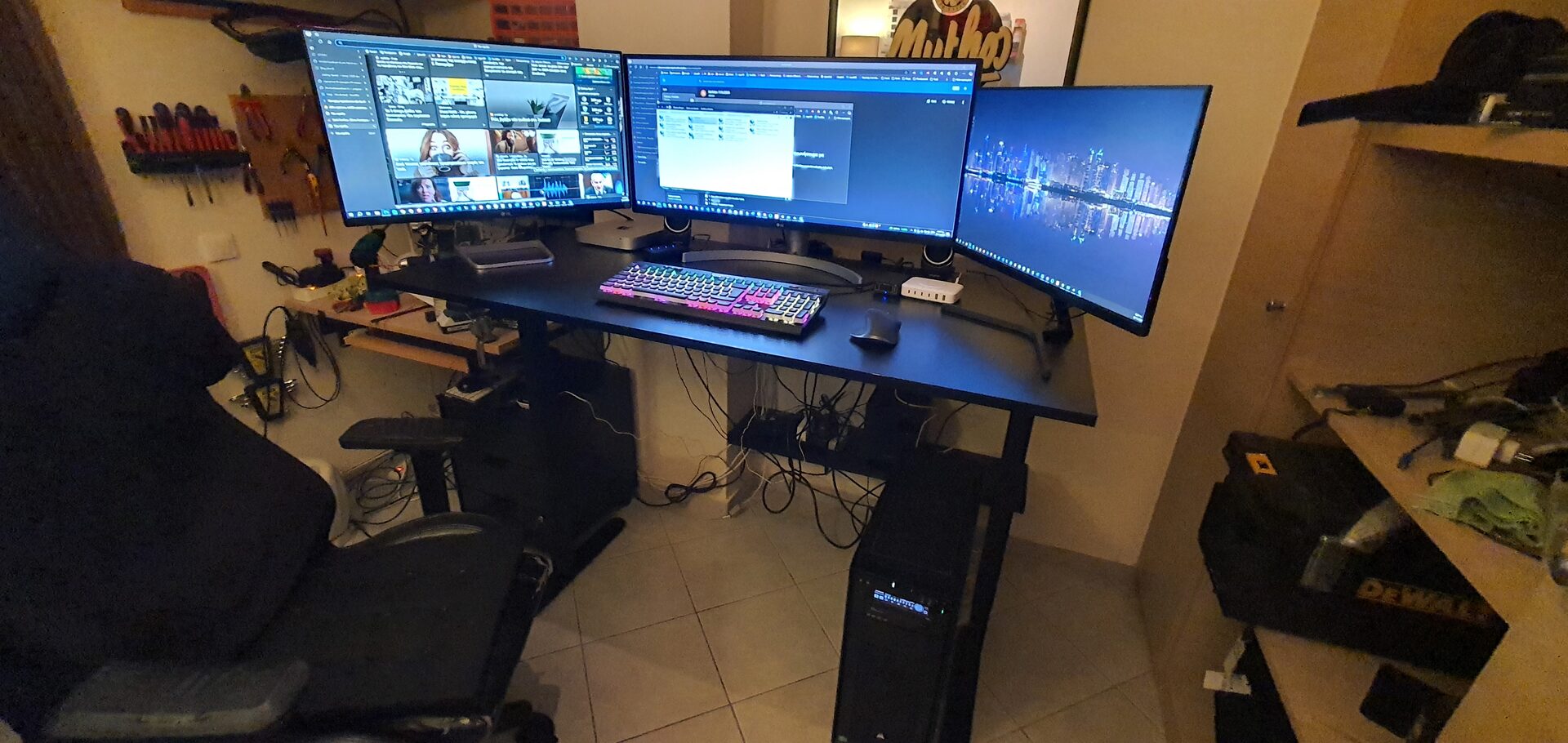
The desk got a refresh too, since the new machine deserved a proper home.
The base machine was just the start. 16GB of RAM and a T400 are not what I need, so the old habit kicked in, and I spent the next weeks building it up: new parts for the heavy lifting, and genuine HP modules from sellers around Europe for the rest.
Inside the Z6 G5
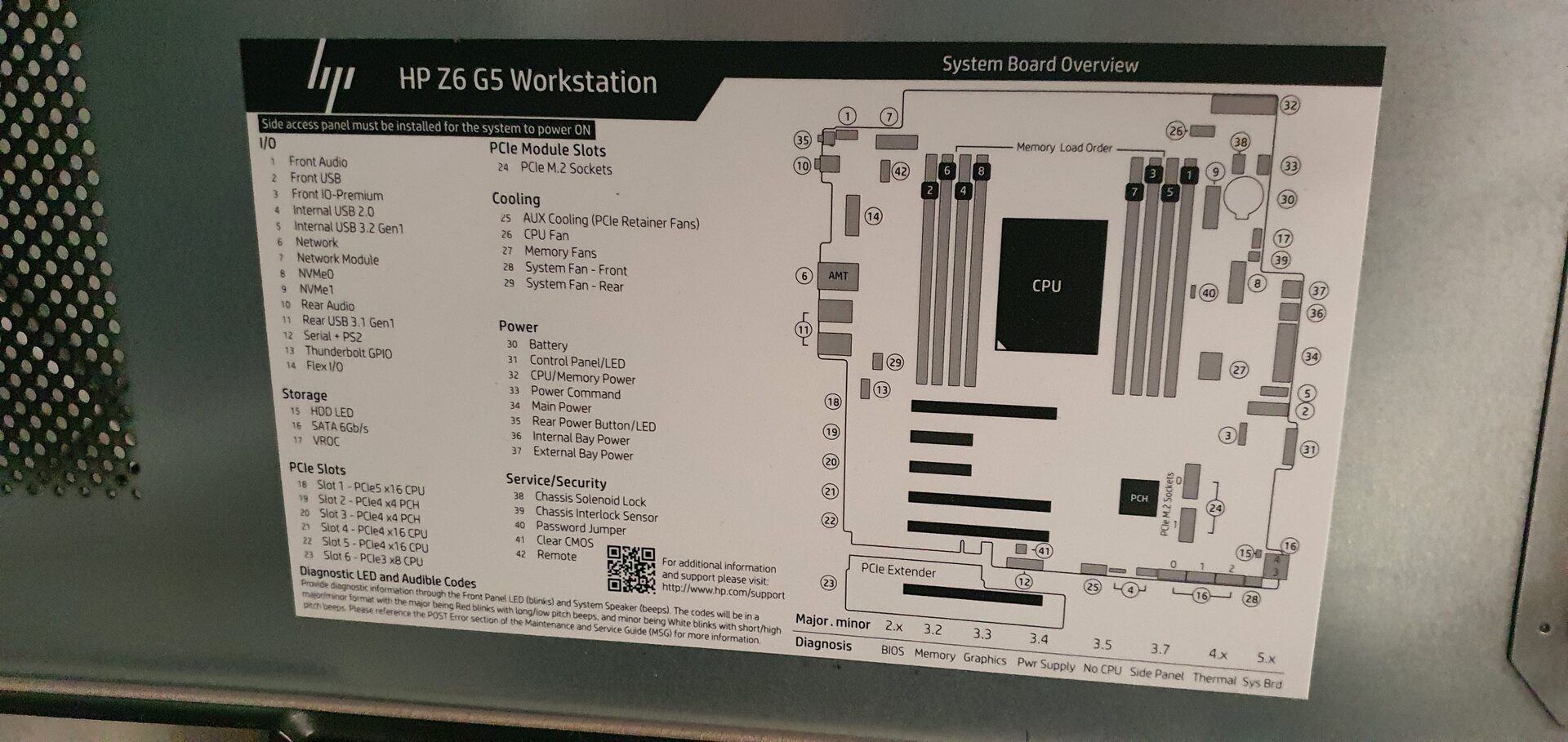
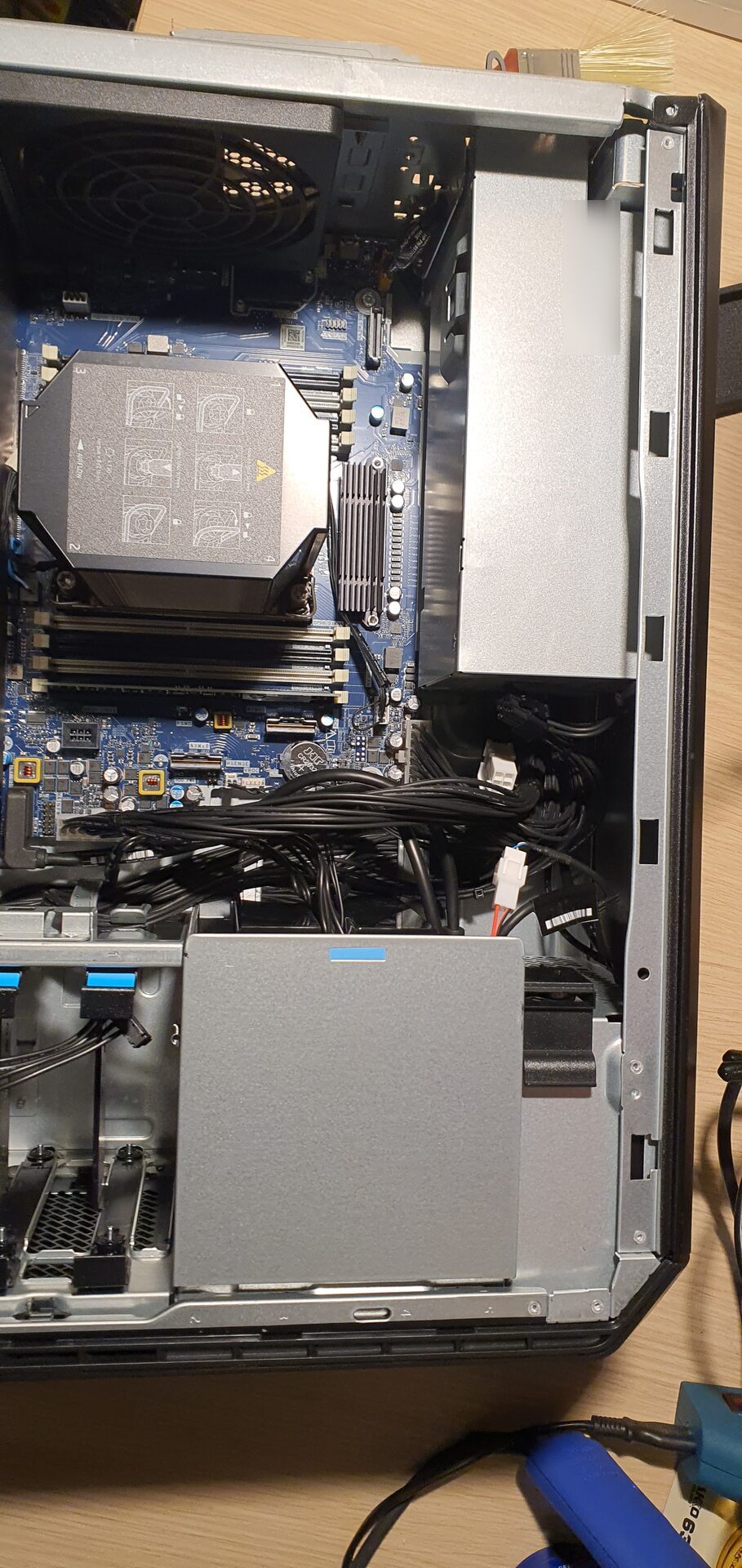
My old Corsair full tower was a pleasure to look into, with the two big Noctuas over the Xeons and the GTX 1080 glowing underneath. The Z6 G5 is a pleasure of a different kind: a machine designed to be serviced. Everything is labelled, every touch point is blue, and HP even sticks a full system board overview on the inside of the panel, with every connector, slot and fan numbered.
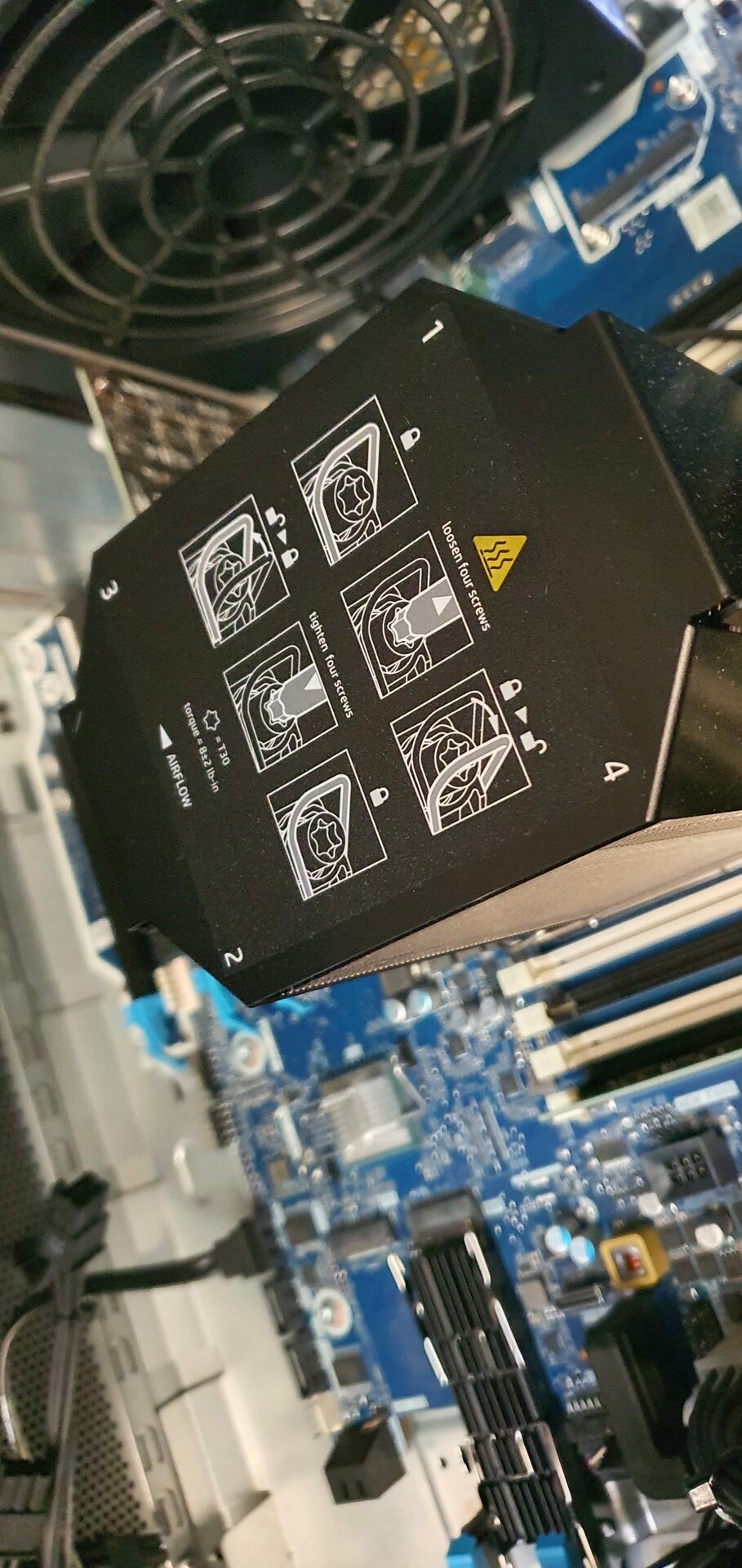
The CPU sits under HP’s own screw-in cooler, with the tightening order printed on top.
Memory
The 16GB went out, and in went 4 X 64GB Kingston DDR5 4800 ECC registered modules, compatible with the Z6 G5, for 256GB in total. They cost €1,600, and they fill only half of the slots, so there is room to double it one day.
Memory this dense needs its own cooling. HP requires the HP Z6 Memory Cooling Solution for any configuration with 32GB registered DIMMs or larger, a shroud with two fans that blows air straight over the DIMMs. Factory configurations get it with the memory, but since I upgraded the memory myself, I had to buy it separately. I found a new, genuine one from an eBay seller for around €250.
The GPU Upgrade
The T400 is fine for driving displays, but I wanted real GPU power for training AI models, running local LLMs, and raw compute through NVIDIA’s CUDA API when I need it. And yes, some gaming too. I do not consider myself a gamer, but it is nice to have for some relaxing time after work.
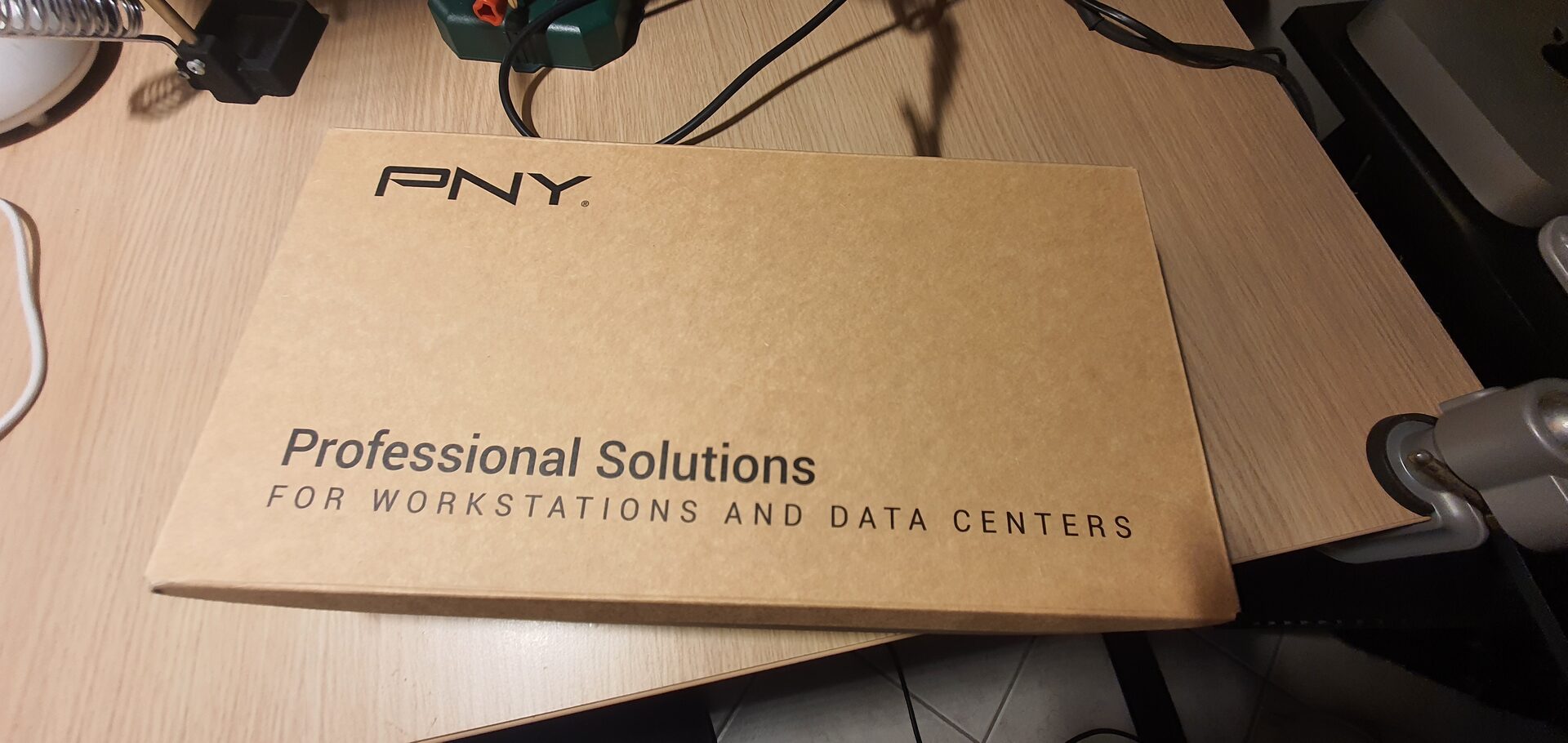
In January 2025 a PNY box arrived with a new NVIDIA RTX 4500 Ada Generation for €2,500: 24GB of GDDR6, a dual slot blower card with a maximum power draw of 210W, four DisplayPort 1.4a outputs, and a single 16-pin power connector. The 1125W power supply has headroom for up to 600W of graphics power, so there was nothing to worry about there.
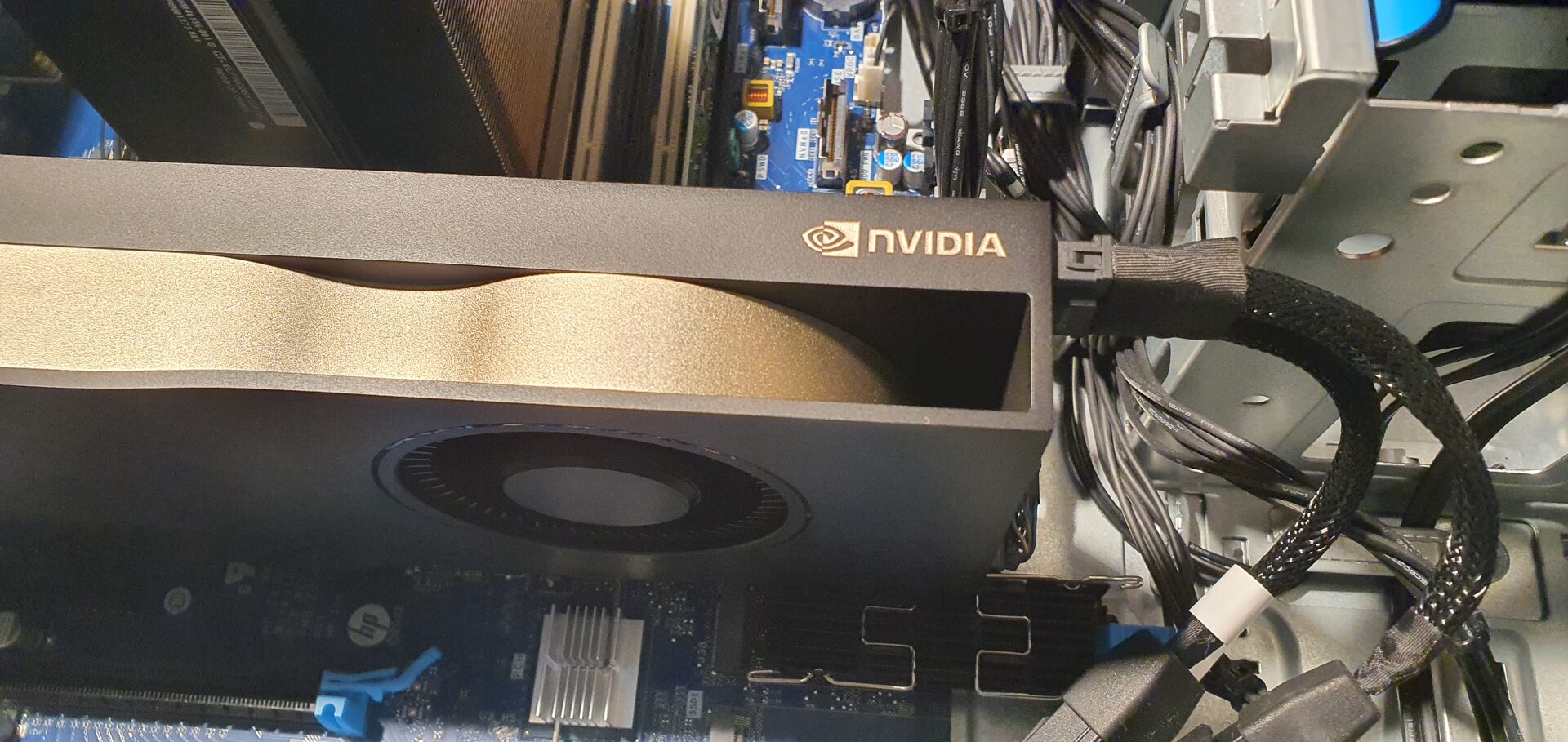
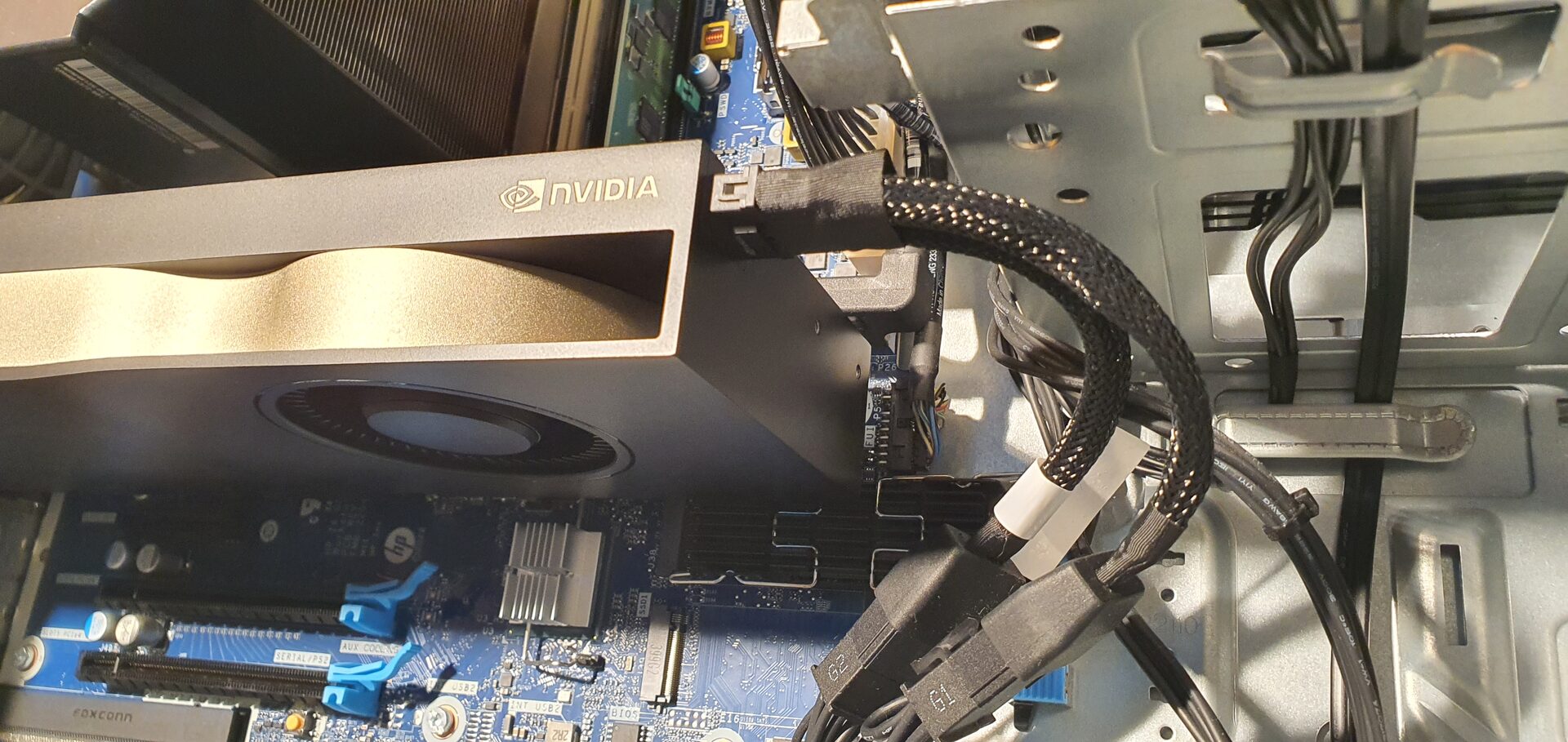
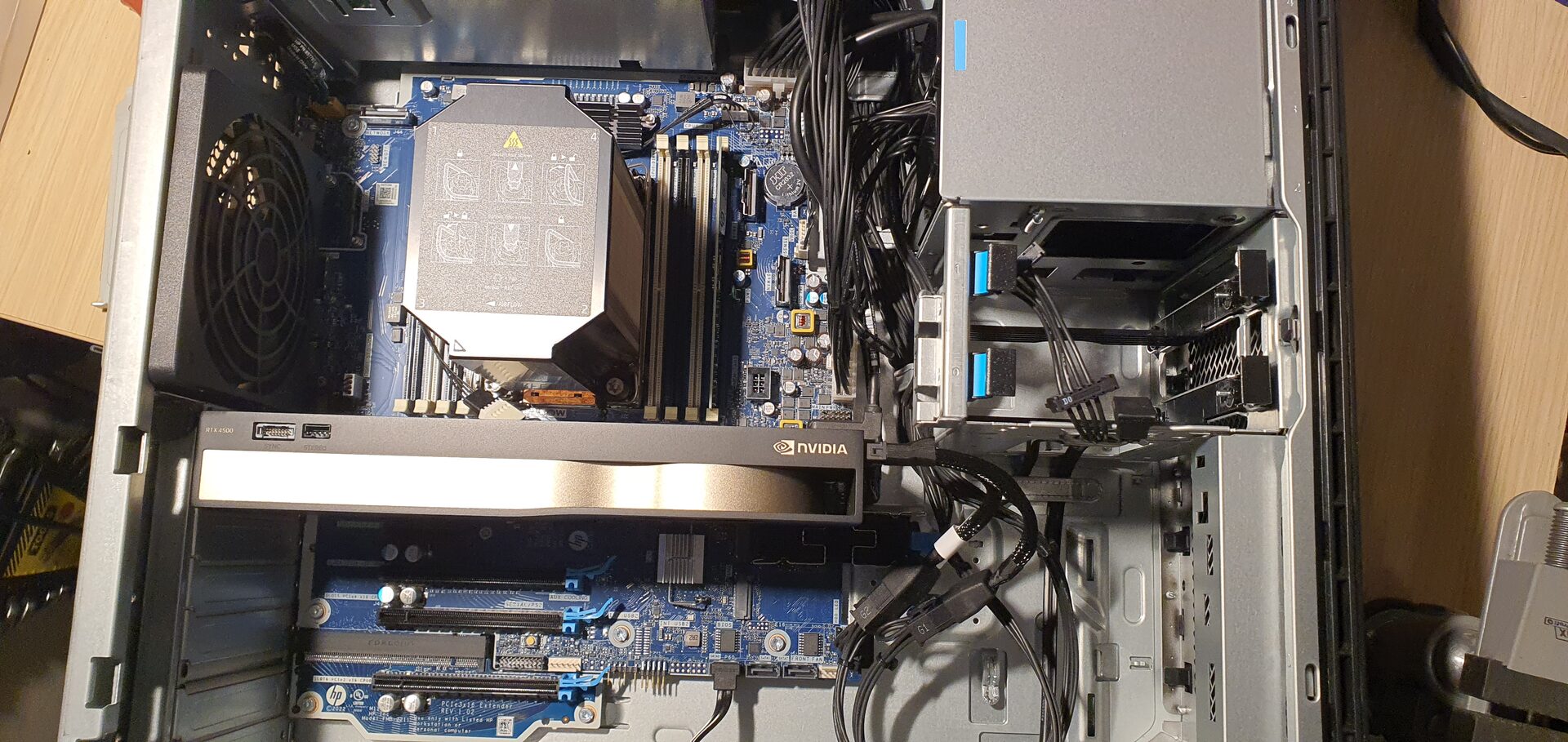
The RTX 4500 Ada lives in Slot 1, the only PCIe 5.0 x16 slot on the board, and the T400 stayed in Slot 4 to drive the extra displays.
Storage
Out went the 512GB drive, and in went 2 X new Samsung 990 PRO 4TB NVMe drives, €350 each, on the two onboard M.2 sockets: one for the OS and one dedicated to development work. With the hardware settled, I did a clean install of Windows 11 Pro for Workstations on the first one in mid January 2025.
For archive and backups, just like on the old rig, there is a mirror: 2 X new WD Red Pro 12TB NAS drives (7200 RPM, CMR), about €500 each, in a RAID1 array on the chipset’s Intel VROC SATA controller.
Genuine HP Modules
The Z6 G5 has a modular design, and HP makes a module for almost everything. I collected these one by one from sellers around Europe:
- HP Z6 Memory Cooling Solution, required for the 64GB DIMMs: about €250
- HP Front I/O module with SuperSpeed USB-C ports: about €180
- HP Thunderbolt 4 PCIe card: about €200
- HP Wi-Fi 6E + Bluetooth card (Intel AX210) with an external antenna: about €150
- HP dual 10GbE Ethernet module: about €200
- HP GPU fan module: about €150
- HP Blu-ray reader / writer: about €100
- HP Intel VROC upgrade key, for NVMe RAID: about €250, ordered and on its way
None of these were cheap, but every one of them is a genuine part that fits and works exactly as HP designed it.
The Front NVMe Trap
This one deserves its own story. The Z6 G5 has two front NVMe connectors on the motherboard, and HP’s QuickSpecs describes them clearly: “2 Front NVMe Storage (SlimSAS PCIe Gen4 x8) (each PCIe connection supports two x4 M.2 devices for a total system support of four x4 M.2 devices via QX448)”. SlimSAS is the industry name for the SFF-8654 connector, and there is a whole ecosystem of standard cables, adapters and drive cages for it. HP’s own QX448 front bay kit can only be ordered with a new machine from the factory, so I figured I would build my own four bay NVMe front cage with standard parts.
Before spending money on a cage, I spent a lot of evenings researching. Everything I could check from software looked right: the BIOS has NVMe0 and NVMe1 enabled, Windows sees four PCIe Gen4 root ports already split into x4 + x4 per connector, and there is no hidden switch in ACPI or the BIOS settings. I measured the connector on the board with a ruler and counted the contacts in a close-up photo: a full SFF-8654 8i, 74 positions.
So I bought a cheap probe to test it: an ICY DOCK MB406L-B SlimSAS 8i cable built to the SFF-9402 standard, and a passive Delock 64295 SlimSAS to 2 X M.2 adapter. I fitted the HP factory drive, which I knew was good, plus an older Samsung drive. I tested both connectors, both cable directions, and forced the link down to PCIe Gen1 with Fast Boot disabled.
The result: absolutely nothing. No new devices, no errors, not even a failed link in the event log. The adapter’s power LED was on and the drives got warm, but the system never saw them. The ports exist, they are enabled, and they are wired for HP’s own QX448 kit and nothing else. HP’s documentation never mentions that, and I later found someone on HP’s forum who had hit the same wall with a Z8 Fury G5.
So I stopped fighting the front ports and went for a PCIe slot instead. A PCIe slot provides the clock and reset signals that the front connectors would not, and the BIOS can split the x16 slots into x4x4x4x4. More on that below.
Specs
- Workstation HP Z6 G5, Intel W790 chipset
- CPU Intel Xeon w7-3465X, 28 cores / 56 threads, 2.5GHz base, 4.8GHz turbo, 75MB cache
- CPU FAN HP Z6 G5 air cooler
- RAM 4 X Kingston 64GB DDR5 4800 ECC Registered (256GB, 4 slots still free)
- RAM FAN HP Z6 Memory Cooling Solution
- VGA NVIDIA RTX 4500 Ada Generation 24GB (PNY)
- VGA NVIDIA T400 4GB
- SSD 2 X Samsung 990 PRO 4TB NVMe M.2
- HDD 2 X WD Red Pro 12TB NAS (WD121KFBX), RAID1 mirror on Intel VROC SATA
- ODD HP Blu-ray writer
- LAN HP dual 10GbE module (Marvell AQtion) + Intel 1GbE onboard
- I/O HP Thunderbolt 4 card, HP Front I/O with USB-C, HP Wi-Fi 6E + Bluetooth (Intel AX210)
- PSU HP 1125W, 90% efficient
- OS Windows 11 Pro for Workstations
What It Cost
- HP Z6 G5, used, with the w7-3465X, 16GB, T400 and 512GB: €3,000
- RAM 4 X 64GB Kingston DDR5 ECC: €1,600
- GPU RTX 4500 Ada: €2,500
- SSD 2 X Samsung 990 PRO 4TB: €700
- HDD 2 X WD Red Pro 12TB: about €1,000
- HP modules, all of the above: about €1,480
That is about €10,300 for the whole machine, before the desk and the audio gear.
The Desk
A workstation like this drives a lot of screen space, and with two NVIDIA cards there are eight DisplayPort outputs to play with. The desk runs an LG UltraFine at 4K, an LG ultrawide, an LG Full HD monitor and an LG TV, all LG, split between the RTX 4500 Ada and the T400.
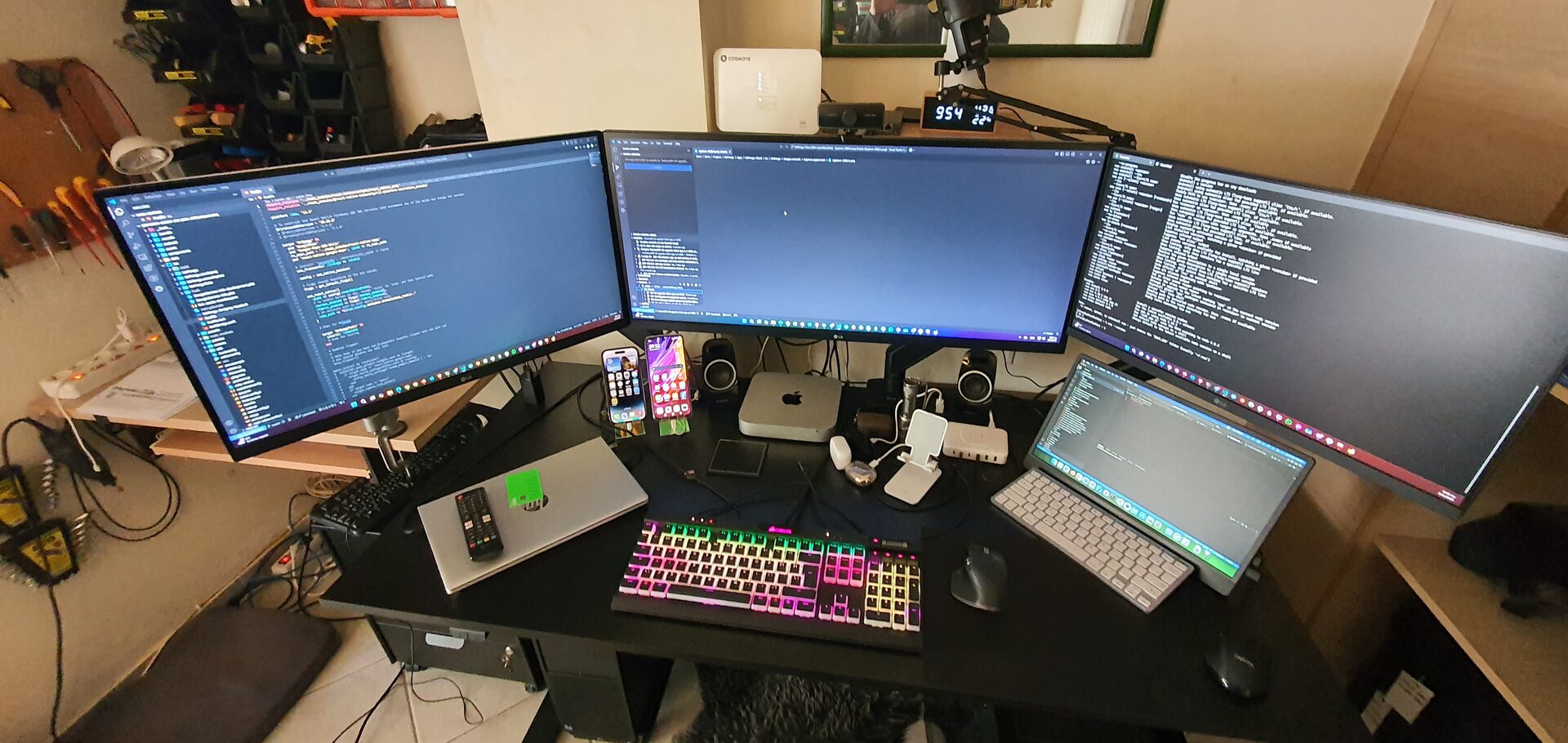
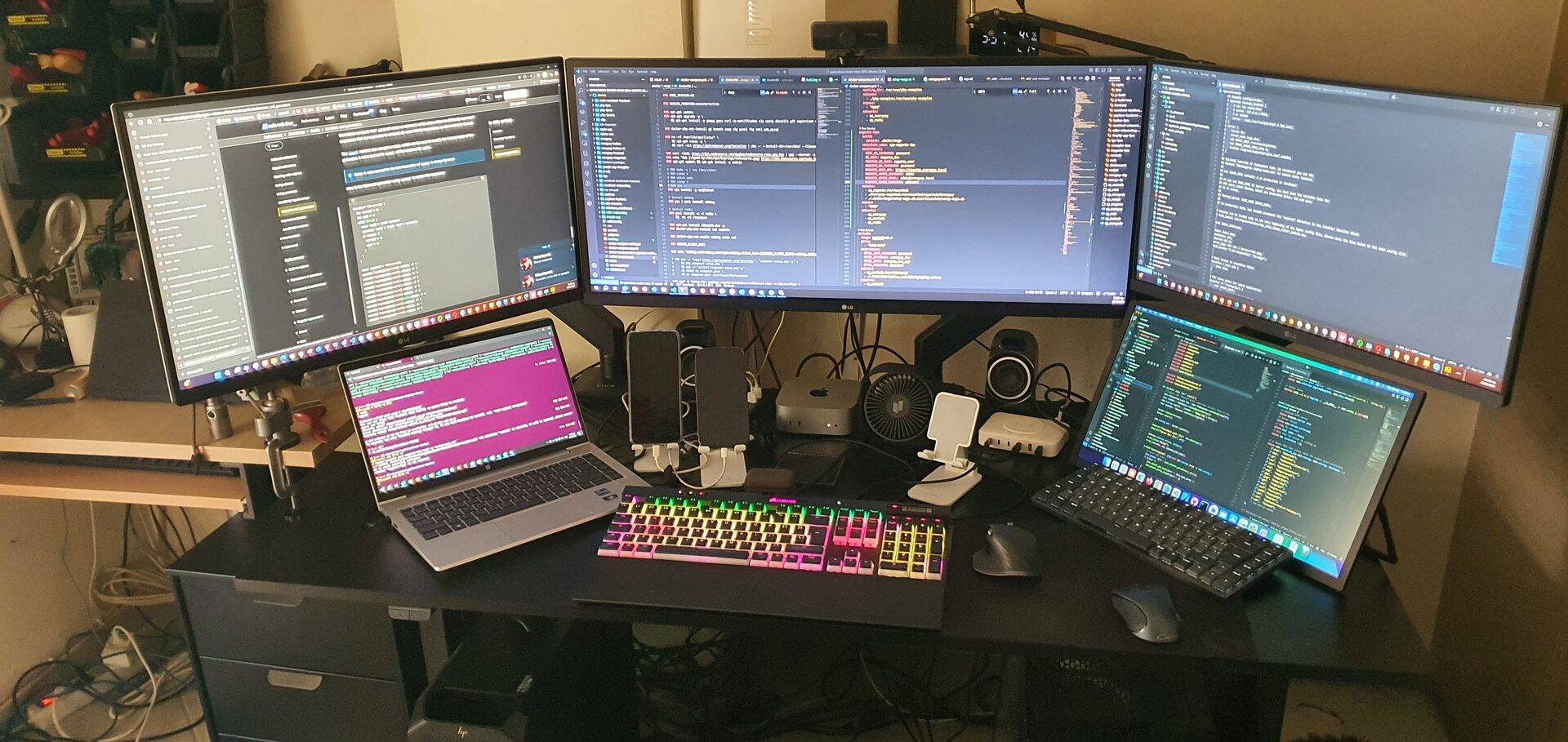
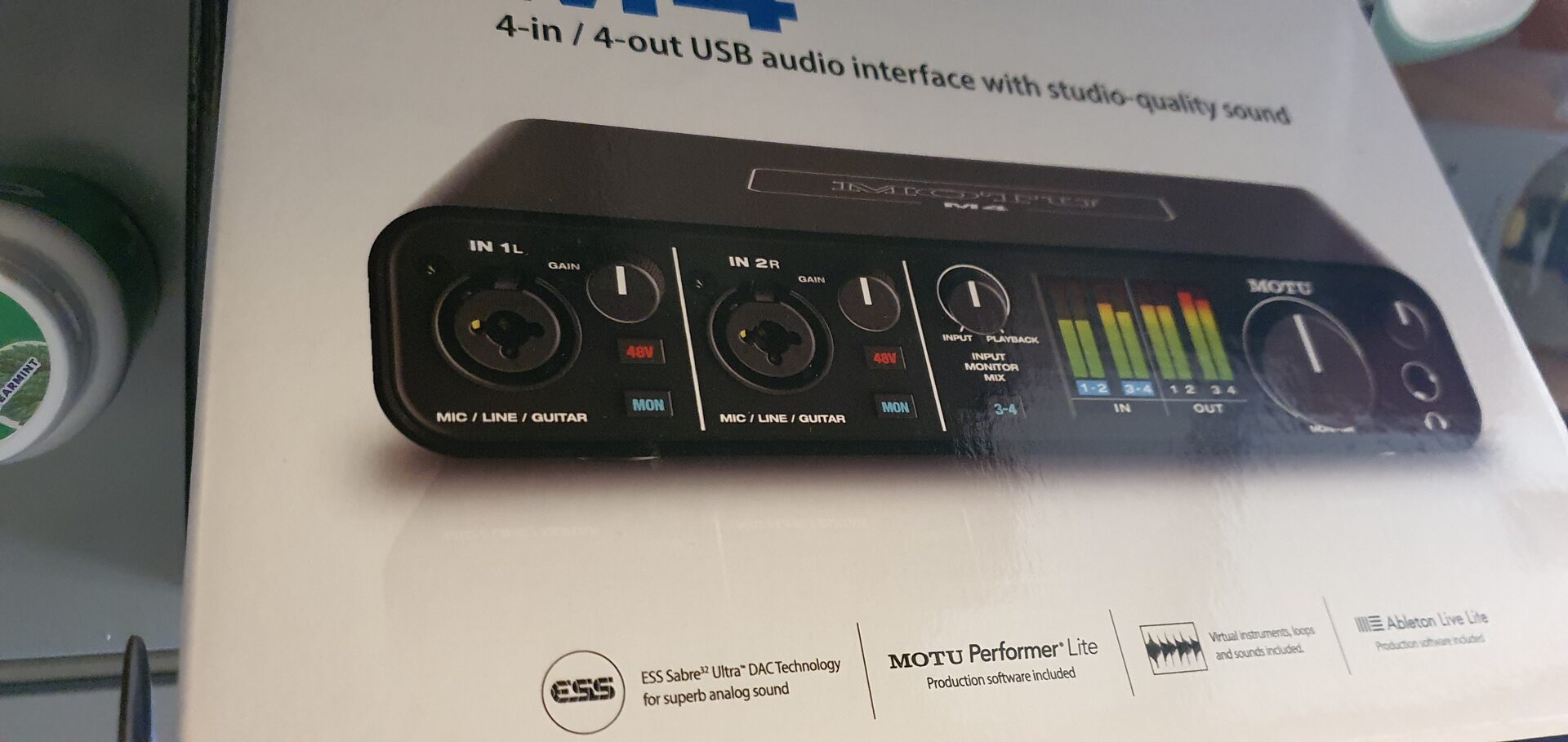
In June 2025 the audio got an upgrade too: a MOTU M4 USB audio interface (€300) driving a pair of Genelec 8010A studio monitors (€300 each), connected with Warm Audio XLR to TRS cables, some of the most expensive cables on the market at €50 each.
Benchmarks
MAXON Cinebench 2026 results
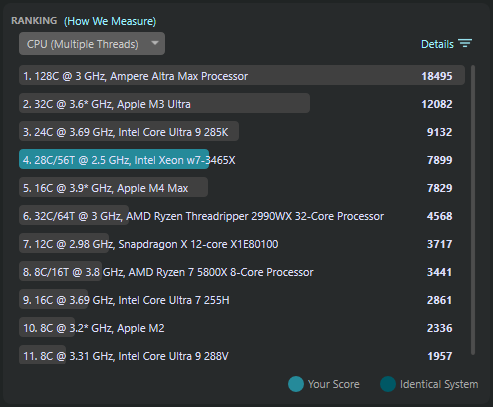
For this post I ran a fresh set of benchmarks with Cinebench 2026.1.3.
The CPU multi-thread score is 7,899, fourth in Cinebench’s ranking, just ahead of Apple’s 16 core M4 Max and well ahead of AMD’s 32 core Threadripper 2990WX.
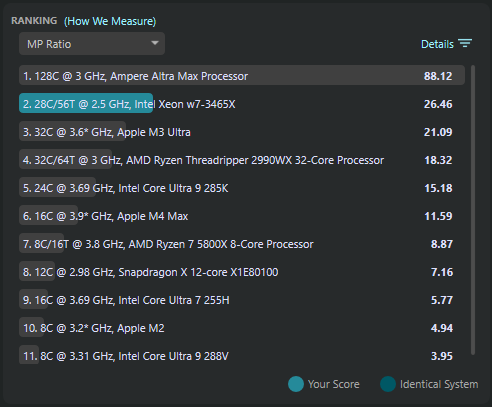
The MP ratio, how many times faster the CPU is with all threads than with one, is 26.46: second in the list, behind only a 128 core Ampere Altra Max server CPU. Those 28 cores really do scale.
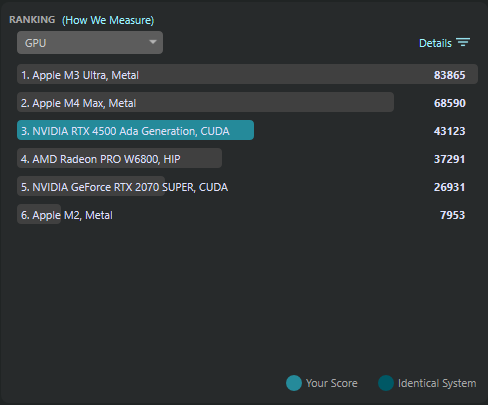
The RTX 4500 Ada scores 43,123 on CUDA, ahead of an AMD Radeon PRO W6800 and an RTX 2070 SUPER.
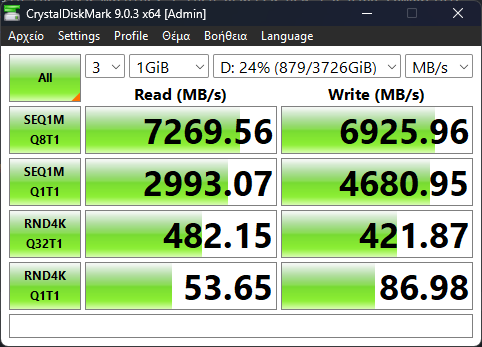
CrystalDiskMark results
The development drive, a Samsung 990 PRO 4TB, reads at 7,270 MB/s and writes at 6,926 MB/s sequentially, right at Samsung’s rated speeds.
Final Thoughts
After more than a year and a half with this workstation, it serves me pretty well.
The next upgrade has already arrived: an ICY DOCK MB204MP-B, a removable 4 bay M.2 NVMe carrier for a single PCIe 5.0 x16 slot, with every drive getting its own PCIe 5.0 x4 link. It is going into Slot 1, the only PCIe 5.0 slot on the board, which the BIOS can split x4x4x4x4. The RTX 4500 Ada is a PCIe 4.0 card anyway, so it loses nothing by moving to Slot 5, a free PCIe 4.0 x16 slot straight from the CPU. Filled with new Samsung PCIe 5.0 SSDs and the Intel VROC key, it will give me fast NVMe RAID right inside the workstation, which is what I wanted from the front bays in the first place.
Prices have gone up on all hardware since then, and I feel lucky about the prices I built this machine for. It should serve me well for many years to come.
Comments
No comments yet.
Manage a comment you wrote